Best AI Tools for Book Writing (2026): Which Tool Fits Each Stage, and What Stays Yours
The best AI for writing a book depends on the stage you are in. See which tool category helps from premise to publication, what to ask AI, and how to keep your voice.
The best AI tool for writing a book depends on the stage you are in, and no single tool is equally good at all of them. To pressure-test a premise at midnight, a conversational assistant like ChatGPT, Claude, or Gemini is usually enough. To hold a 90,000-word novel together across twenty chapters, you need a workspace where the AI can actually read your character sheets and earlier chapters without you pasting them into every prompt. To catch mechanical slips at the end, you want a dedicated copyediting checker. And when you publish, platform disclosure rules matter more than software features.
That is why this guide is not a countdown ranking. Rankings usually compare tools that do completely different jobs. Instead, we walk through a book stage by stage — from idea to publication — showing which category of tool fits each job, what to ask the AI so it does not flatten your prose, and how to test a workspace on your own chapters before committing.
Transparency note: We build Muses, an AI-integrated writing workspace, so we are one of the tools in this space. We keep Muses in its own clearly labeled section near the end; everything before that applies regardless of where you write. Information on third-party tools reflects publicly documented features as of October 2026.
Key takeaways
- There is no single best AI for every writer. The right tool depends on whether you are brainstorming a premise, managing a multi-chapter manuscript, or polishing final grammar.
- The closer a task gets to your final sentences, the more caution it deserves. Use AI to question, stress-test, and search first; keep the final prose in your own hands.
- Protect unpublished manuscripts. Before pasting a draft into any tool, check whether your inputs are used for model training and how cleanly you can export your files.
- Know your publishing platform's rules early. Amazon KDP separates AI-generated text (which must be disclosed) from AI-assisted work (which does not).
AI for book writing, stage by stage
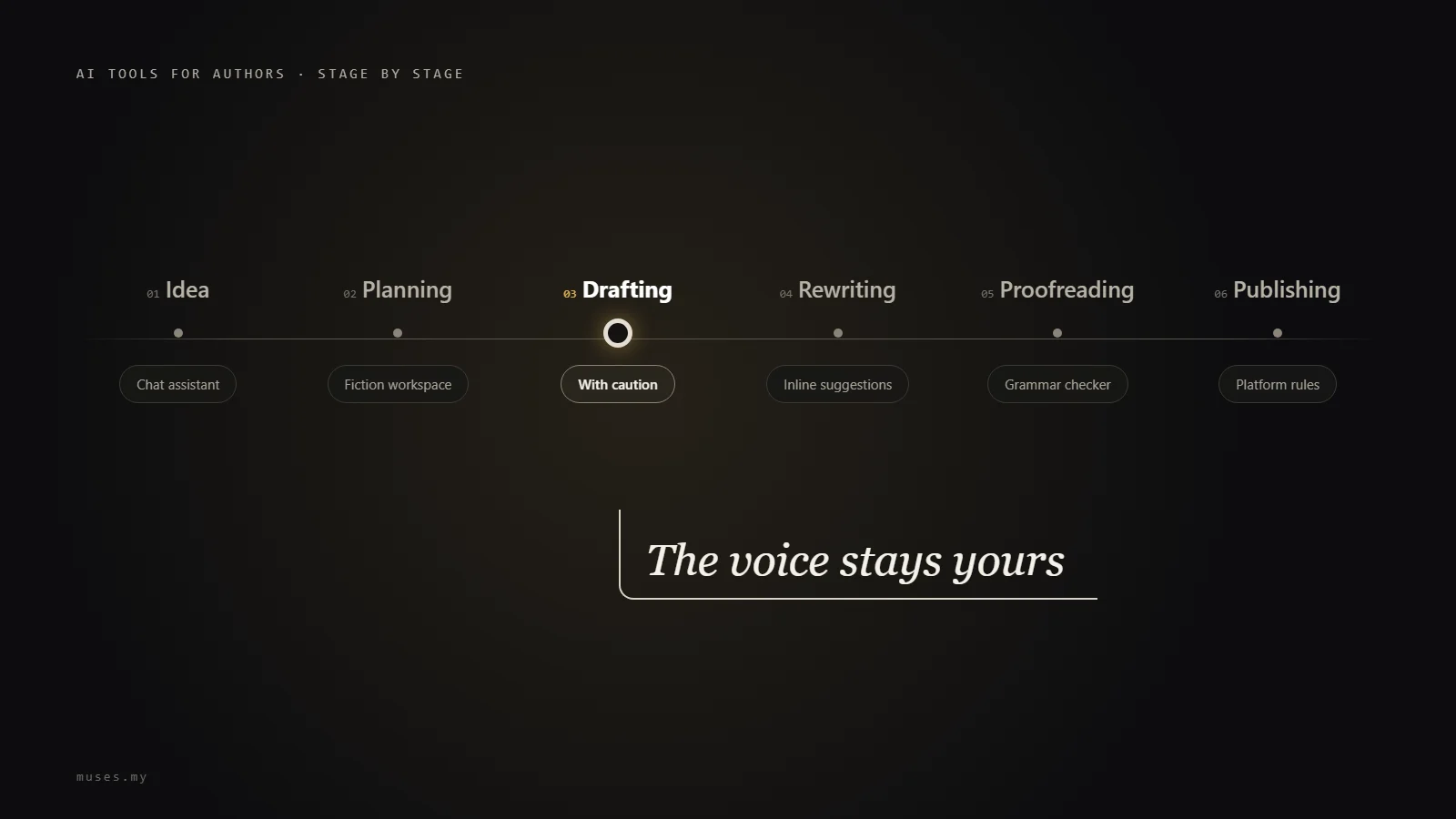
Few writers move in a straight line from chapter one to "The End," but almost every book passes through the same six phases. A practical rule of thumb: the closer a task sits to the actual sentences printed on the page, the more carefully you should think before handing it over to a machine.
| Stage | Best tool category | High-value job for AI | What stays with you |
|---|---|---|---|
| Idea & premise | Conversational assistant | Ask "what if" questions and list the most predictable clichés to avoid | Choosing which story deserves a year of your life |
| Planning, characters & world | Conversational assistant; AI writing workspace for long books | Run a chapter omission test and trace second-order consequences of world rules | Story architecture, character motives, and world rules |
| First draft | AI writing workspace that reads your notes (use with caution) | Propose three bulleted scene paths when you are stuck, without writing the prose | Every sentence that ends up in the manuscript |
| Rewriting & developmental edits | Workspace with full-manuscript search and inline diff review | Summarize chapters to spot structural drift, test dialogue distinctness, and flag contradictions | Deciding which critiques to accept and which rough edges are intentional |
| Proofreading & copyediting | Dedicated grammar/style checker, then a human proofreader | Build a project style sheet of spellings and catch first-pass typos | Intentional dialect, rhythm, and final human sign-off |
| Publishing | Publishing platform | None — follow platform disclosure and copyright rules | Authorship, rights, and accurate disclosure |
1. Idea and premise
Maybe all you have so far is an opening image that will not leave you alone, or a character without a plot. At this stage, AI helps much more when it interrogates you than when it invents for you. What if the narrator is lying to herself? What if the antagonist has a sound moral argument? Most of its questions will bounce off, and one or two will catch.
You can also use AI in reverse to clear away the obvious choices first:
Here is my book premise in two sentences: [your premise]. List the five most predictable ways this story is usually told. Do not propose a new version of your own.
Once the worn-out paths are on the table in front of you, it is much easier to articulate what makes your version worth writing.
2. Planning, characters, and worldbuilding
Here AI acts as an early structural reader. You can test whether your outline carries its weight by running an omission test:
Here is my chapter outline, one line per chapter: [outline]. For each chapter, tell me what the reader would lose if that chapter were cut, and flag any chapter where you cannot find a strong answer. Do not suggest new scenes.
Flagged chapters are not automatically dead weight, but you should know why they are earning their keep. If you prefer discovery writing over plotting ahead, ask the AI after your first three chapters what open questions a reader is holding right now — that shows you which promises your opening actually made.
For characters, try an interview: have the AI ask questions while you answer in your character's voice. What was she most ashamed of at fourteen? Who does she call when everything falls apart, and who does she refuse to call? For worldbuilding, ask the AI to trace everyday consequences of your rules. Once your notes start multiplying across dozens of pages, a workspace where the AI can read those notes directly saves you from copying and pasting character sheets into every new chat.
3. First draft: where caution matters most
The first draft is where the temptation to type "Write chapter 4" is strongest. The problem is that machine-drafted prose carries the model's cadence, default metaphors, and emotional shortcuts even after you polish it. Across a full-length book, those habits accumulate — and on platforms like Amazon KDP, text created by AI triggers disclosure requirements even if you edit it later.
Where AI genuinely helps during drafting is getting you unstuck without taking the keyboard out of your hands:
I am stuck on this scene: [what happens and where the scene needs to end]. Do not write the scene. Give me three possible ways it could play out, five bullet points each, and explain what each path changes for the rest of the book.
You pick one path — or a fourth one that occurs to you while reading the three — and write the sentences yourself. For a deeper look at scene-by-scene workflows, see our guide on how to write a book with AI.
4. Rewriting and developmental feedback
By your fifth pass through a manuscript, you are reading from memory rather than reading the page. Beta readers take weeks, and friends are often too polite to tell you chapter six drags. AI is tireless at structural diagnostics when you ask it to point rather than rewrite:
- The one-sentence summary test: Ask for a one-sentence summary of every chapter. Wherever that list tells a different story from your outline, you have a structural gap to inspect.
- The dialogue swap test: Ask the AI to highlight lines of dialogue in a scene that could be traded between two characters without anyone noticing. If it finds a dozen, their voices have blurred together.
- The continuity scan: Ask a workspace with manuscript-wide search to find every passage where a character mentions a letter before they actually receive it, or where a timeline date shifts. Verify every hit yourself; automated searches are a net, not a guarantee.
Be skeptical whenever an AI wants to smooth out something you put there on purpose — a clipped fragment, an repeated phrase, or a character who is meant to sound abrasive.
5. Proofreading and copyediting
General-purpose LLMs are decent at a first typo sweep, but they miss subtle agreement errors and occasionally swap a word you chose deliberately. A better division of labor is to let the AI compile your book's style sheet — how invented names are capitalized, whether a character says "okay" or "OK," which compound words are hyphenated — and then run a systematic pass with a dedicated checker before handing the manuscript to a human copyeditor.
Four categories of tools in the book-writing ecosystem (October 2026)
Many "best AI book writer" lists lump every product into a single ranking. Sorting them by how they fit into your workflow makes the trade-offs much clearer. The products named below are examples of each category, not a ranked endorsement (as of October 2026).
1. Conversational assistants: ChatGPT, Claude, Gemini
For most writers, chat assistants are the front door: versatile, fast, and available with free tiers. They excel at brainstorming premises, untangling plot knots, researching background questions, and critiquing individual scenes.
What to watch for: In a book-length project, a chat assistant only knows what you feed into the current context or project folder. In long threads, early details can drift out of view, and edits usually come back as a freshly generated block of text rather than tracked inline suggestions. Before pasting unpublished chapters, check the data controls in your account settings — all three major providers let you turn off model training on your chats.
2. Fiction-focused AI workspaces: Sudowrite, Novelcrafter, and integrated editors
In these tools, the AI lives inside the writing environment alongside a structured knowledge base for your book. In Sudowrite, the Story Bible holds your synopsis, genre, style notes, characters, worldbuilding, and outline. In Novelcrafter, the Codex stores entries for characters, locations, objects, and lore, automatically pulling relevant entries into context when their names or aliases appear in a scene.
What to watch for: Check how pricing scales over the six to twelve months it takes to finish a book, whether the tool uses its own credit system or requires you to connect and pay for an external API key (as Novelcrafter does), and whether edits overwrite your text or appear as reviewable suggestions.
3. Grammar and style checkers: LanguageTool, ProWritingAid, Grammarly
These tools do not invent plot or draft chapters; they inspect the sentences you already wrote. LanguageTool (which offers both a free tier and a Premium plan) and fiction-friendly checkers like ProWritingAid scan systematically for grammar, punctuation, pacing, overused words, and style consistency across browser extensions and word processors.
What to watch for: Rule-based and statistical checkers do not know your story world. Invented fantasy terms, intentional fragments, or regional dialect in dialogue will often light up as errors unless you add them to a personal dictionary. And no software checker replaces a human proofreader before publication.
4. Publishing platforms: Amazon KDP, IngramSpark, Draft2Digital
Publishing platforms are not writing tools, but their rules govern how you use AI while writing. Amazon KDP requires authors to disclose AI-generated text, images, or translations when publishing a new book or republishing an edited one, while exempting AI-assisted content. Other distributors, literary contests, and traditional houses set their own contractual warranties around human authorship.
Six questions to choose the right tool without relying on rankings
Instead of trusting a generic top-ten list, run any candidate tool through these six questions:
- Context: Does the AI read your character sheets, outline, and earlier chapters on its own, or do you have to paste them into every prompt?
- Search: Can it search across the entire manuscript — for instance, finding every scene where a secondary character appears?
- Control: Do edits arrive as inline suggestions that you can accept or reject one by one, or does the tool dump a rewritten chapter on you?
- Memory: Does it remember project-level rules such as point of view, tense, and style constraints from one session to the next?
- Cost: What does six months of iterative drafting and revision actually cost, and what happens when your monthly allowance runs out?
- Data and export: Where is your manuscript stored, is it ever used to train AI models, and can you export your chapters cleanly as DOCX, Markdown, or EPUB at any time?
The 15-minute manuscript test: Take three chapters of your own writing that you know inside out. Plant a deliberate contradiction in the third chapter — change the protagonist's sister's name or move an event to the wrong day of the week — and ask the tool to check consistency across the three chapters. Then ask it to critique a scene explicitly without rewriting any sentences, and see whether it respects the boundary.
Copyright, disclosure, and keeping your voice
Two practical concerns come up in almost every author conversation about AI: legal standing and stylistic homogenization.
On the legal side (as of October 2026; this is an overview, not legal advice), the US Copyright Office and most major jurisdictions protect works of human authorship. Text generated purely by an AI prompt without meaningful human creative control is not copyrightable on its own. Meanwhile, Amazon KDP requires disclosure of AI-generated text, images, and translations, whereas work written by you and merely brainstormed, checked, or refined with AI counts as AI-assisted. Keeping a brief chapter-by-chapter log of how you used AI protects you when filling out publisher or platform forms later.
On the craft side, the biggest threat to your voice is rarely an entire chapter written by AI — because you can spot that immediately. The real danger is death by a thousand small polish passes: a word swapped here, a thorny sentence smoothed out there, until twenty chapters later your prose sounds like everyone else's. To prevent that:
- Ask for questions and diagnostics before asking for text, and state negative constraints clearly ("do not rewrite," "do not add new subplots").
- Keep edit requests small: one paragraph and one specific goal at a time.
- Read accepted changes aloud. Your ear catches a borrowed cadence faster than your eyes do.
Where Muses fits in
As we saw above, the hardest part of using AI on a full-length book is context and control: making sure the AI actually reads your story notes before it speaks, and making sure its edits never silently overwrite your sentences. That is the exact problem we built Muses to solve. It is a browser-based writing workspace where your manuscript, story materials, and AI assistant live inside the same project.
- Structured folders that the AI reads before writing. When you create a project in the "Novel" category, it comes with four default materials folders: Worldbuilding, Characters, Story Outline, and References. You fill them in plain text or Markdown, and in a Novel project the AI is designed to read the relevant materials before drafting or revising a chapter. You can also pull any note or chapter directly into a prompt using
@references. - Full-manuscript search. Ask the AI to search across all chapters and materials in your project for a name, place, or recurring detail — for example, checking every scene where a character's eye color or backstory is mentioned. Each book project stays strictly isolated from your other projects.
- Visual outlining with mind maps. If you think better spatially, you can build and rearrange your book's structure on a mind map canvas, where the AI can also propose structural branches for you to review.
- Inline diff suggestions instead of silent overwrites. Whenever the AI proposes edits to existing prose, the changes appear directly in the editor as tracked additions and deletions (see how inline diff review works). You accept or reject each change individually, and every confirmed pass is saved in version history so you can roll back at any time.
- Tab continuation at the cursor. When you want a quick nudge while drafting, press
Tabin the editor to see a ghost-text continuation from your cursor; pressSpaceorEnterto accept it, orEscto keep moving in your own words. - Persistent project memory. Rules like first-person point of view, past tense, or banned clichés can be saved across sessions at the article, project, or account level, and you can inspect or edit what the AI remembers whenever you like.
- Clean import, EPUB export, and privacy. Import existing drafts as DOCX, TXT, or Markdown, and export individual chapters or a compiled project as DOCX, Markdown, TXT, PDF, or EPUB with an automatic table of contents. We do not use your manuscripts or chats to train AI models (Keeping Your Work Safe). You can start on the Free plan without a credit card; details on tiers and StarPower credits are on Plans & Pricing.
Conclusion: pick the tool for the stage, and keep the sentences yours
Already have a premise in mind and want to test an AI workspace on a real chapter? You can start from a prompt in our AI Book Writer or explore how a full multi-chapter project is organized in our Novel Writing App and AI Novel Editor. And if you are working on the craft of revision itself, our guide to getting better at writing breaks down the four-pass editing cycle that keeps your voice front and center.
Want to see how it feels when the AI can read your character sheets and world notes on its own? Create a Novel project in Muses, drop a few character notes into the Characters folder, and ask the AI for three bulleted ways to unblock your next scene. Start free on Muses
Frequently asked questions
Can AI write an entire book for me?
AI can generate tens of thousands of words quickly, but a full book written by AI usually breaks down in three places. First, coherence: across hundreds of pages, models lose track of subplots, timeline details, and character motives. Second, authorship: the decisions that make a book yours — what to leave unsaid, where a scene turns, how a sentence lands — get flattened into generic rhythms. Third, publishing rules: Amazon KDP requires disclosure of AI-generated text, and pure machine output without human authorship is not eligible for US copyright protection. AI works best as a partner for questioning, planning, and revision while the sentences remain yours.
What types of AI tools exist for book writers?
They fall into three main categories. Conversational assistants such as ChatGPT, Claude, and Gemini handle brainstorming, research questions, and single-scene feedback, though you often have to paste or upload your notes manually. AI-native writing workspaces keep your manuscript, story bible, and AI in one project so the model can read your notes, search chapters, and show edits as inline suggestions. Dedicated grammar and style checkers such as LanguageTool, Grammarly, or ProWritingAid focus on copyediting and mechanics. Most authors combine more than one category.
Are there free AI tools for writing a book?
Yes, in two different forms. Some services offer an ongoing free tier with monthly or daily usage caps: ChatGPT, Claude, Gemini, the free version of LanguageTool, and Muses all let you start without a credit card. Other fiction-focused tools such as Sudowrite and Novelcrafter offer a time-limited or credit-limited trial before requiring a paid subscription (as of October 2026). Because a book takes months to finish, check what ongoing access costs before moving an entire manuscript into any tool.
Can AI judge whether my manuscript is good?
Only within narrow bounds. If you ask an AI whether a chapter is good, it will usually give you polite, generic praise. No model can reliably predict whether a book will connect with readers or appeal to an acquiring editor. You get much more useful answers when you ask verifiable questions against the text: what does a reader know about the protagonist after chapter one, and what unanswered question pulls them into chapter two? For an honest verdict on the book as a whole, rely on beta readers and a human editor.
What happens to my unpublished manuscript when I paste it into an AI tool?
That depends entirely on the provider. Before uploading an unpublished book, check three things in the tool's privacy policy and settings: whether your text is used to train AI models and whether you can opt out, how long conversation logs are retained, and how you can export your work if you leave. Always keep an independent backup of your manuscript outside any single platform.
Do I have to disclose AI use when self-publishing on Amazon KDP?
Amazon KDP distinguishes between AI-generated and AI-assisted content (as of October 2026). If an AI tool created the actual text, images, or translations, KDP requires you to declare it as AI-generated during setup, even if you edited it heavily afterward. If you wrote the text yourself and used AI only to brainstorm, outline, check consistency, or refine your own sentences, KDP classifies that as AI-assisted content, which does not require disclosure.